
How does a conversion work, step by step?
A conversion takes just a few screens. The screens you see vary slightly depending on the app.
What are the steps?
- Import your song: a file, a YouTube link or a recording.
- Choose the mode: transcription, extraction or arrangement, depending on the app. See Transcription or arrangement.
- Set the difficulty (arrangement only): simplified or complete version, for PianoConvert, OrganConvert and GuitarConvert only.
- Set the instrument if the app asks for it, for example the saxophone transposition or the tuning of a tablature.
- Set up the sheet music: tempo, time signature, key and reading aids.
- Choose the lyrics language (SingConvert and BandConvert).
- Enter the title and the author of the sheet music.
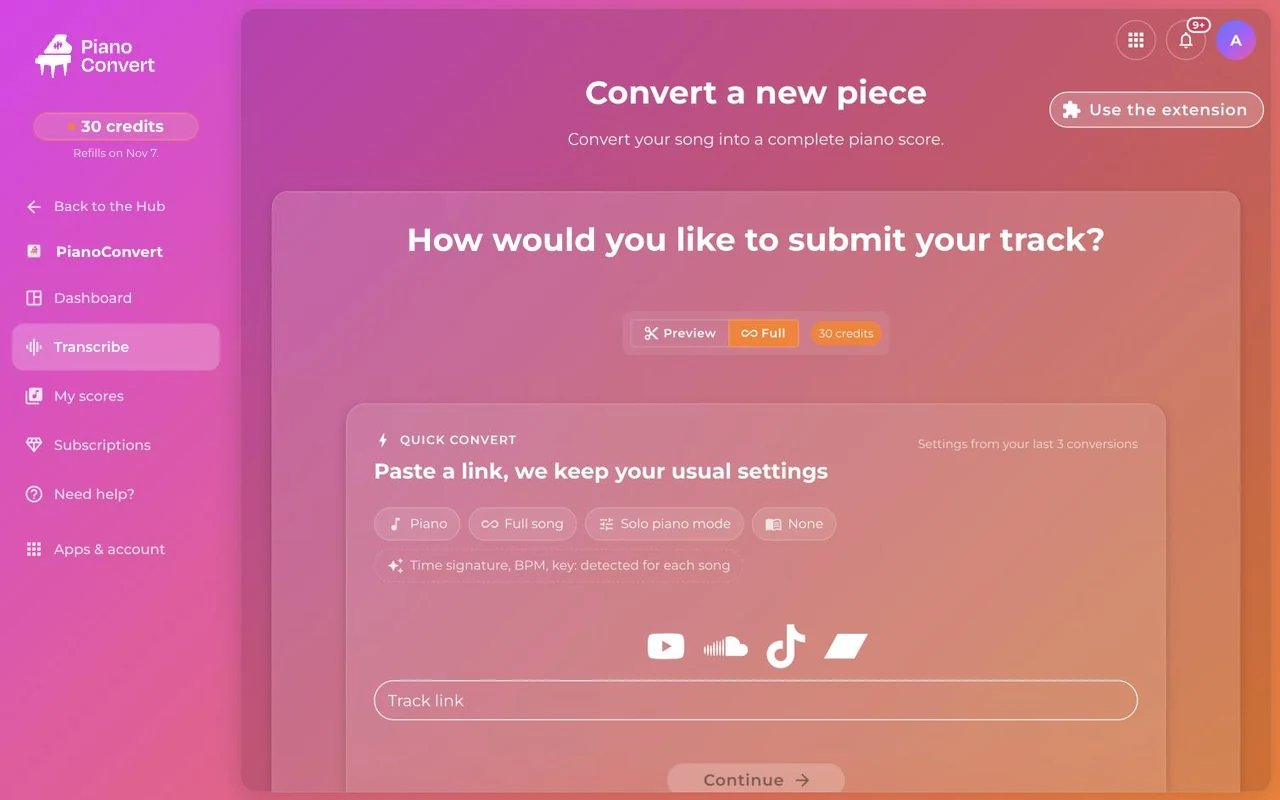
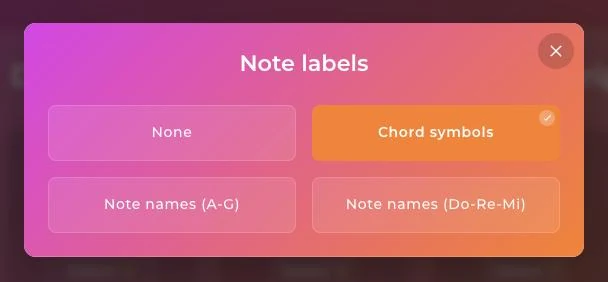
Which reading aids are available?
You can choose none, display chord symbols, or write out note names (A to G, or Do Re Mi). GuitarConvert and PianoConvert start with chords.
And once the conversion has started?
Wait for processing to finish, then open the sheet music. To read and play it, see Reading your sheet music. If something goes wrong, see The conversion fails.
Was this article helpful?
In the same topic
Ready to try it?
Turn your songs into sheet music and MIDI files with the La Touche Musicale apps in the HUB.